Williams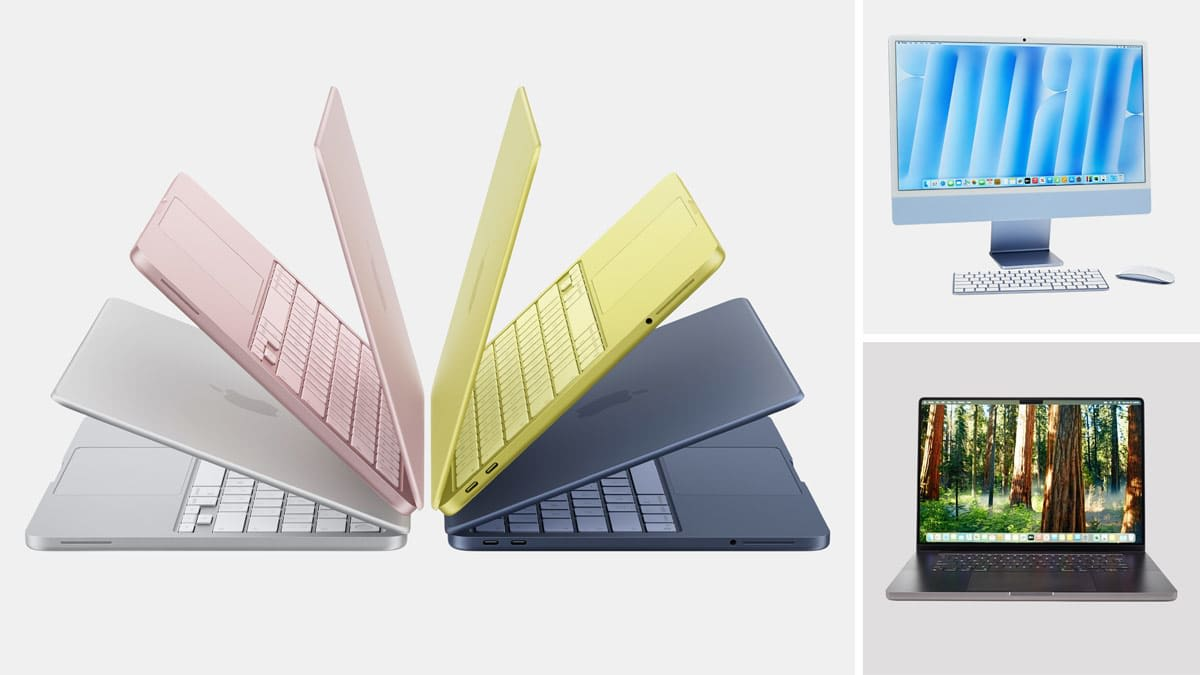
Buying a MacBook is a long-term investment, but choosing the right configuration is just as important as selecting the right model. Many buyers in Bangladesh often focus only on the processor and overlook other important specifications like RAM, storage, display size, and intended workload. Whether you are a student, software engineer, content creator, business professional, or casual user, selecting the right Apple MacBook configuration ensures better performance, longer usability, and better value for your money. This article will help you understand which MacBook configuration is best for your needs before making a purchase.
Choose the Right Processor
The processor is the heart of every Apple MacBook and directly affects overall performance. Apple currently offers several chip options, including the A18 Pro, M4, M5, M5 Pro, and M5 Max. Each processor is designed for different types of users.
The MacBook Neo with the Apple A18 Pro chip is suitable for students, office work, online classes, browsing, presentations, and everyday productivity. For users who need stronger multitasking and professional performance, the MacBook Air M4 and MacBook Air M5 offer an excellent balance between speed, battery life, and efficiency.
If your work involves software development, professional video editing, AI development, virtualization, 3D rendering, or heavy multitasking, the MacBook Pro models with M5, M5 Pro, or M5 Max chips provide significantly higher sustained performance and are better suited for demanding professional workloads.
How Much RAM Do You Need?
RAM plays an important role in multitasking and determines how many applications you can run smoothly at the same time. Choosing the right amount of Unified Memory will help keep your Apple MacBook useful for many years.
For students, office users, and casual browsing, 8GB Unified Memory is generally enough for web browsing, Microsoft Office, online classes, and media consumption. The MacBook Neo is a good example of an entry-level MacBook for these workloads.
For most users in 2026, however, 16GB Unified Memory is the recommended choice. It provides a much smoother experience for programming, photo editing, multitasking, content creation, and professional productivity. Models like the MacBook Air M4 and MacBook Air M5 with 16GB RAM offer excellent long-term value.
Professional developers, video editors, AI engineers, and users working with virtual machines or large creative projects should consider 24GB RAM or higher, which is available on Apple MacBook Pro models.
Selecting the Right Storage
A 256GB SSD is suitable for students and users who mainly browse the internet, create documents, and store most files in cloud services. However, users planning to install professional software, development environments, Adobe applications, or large project files should consider at least a 512GB SSD. Software engineers, photographers, video editors, and creative professionals often benefit from 1TB or even 2TB SSD storage because it provides more room for applications, media files, development tools, and backups without constantly managing storage space.
Which Display Size Should You Choose?
Apple MacBook are available in multiple display sizes, including 13-inch, 14-inch, 15-inch, and 16-inch models. The ideal size depends on how you plan to use your laptop.
A 13-inch MacBook is perfect for students, travelers, office users, and anyone who values portability. It is lightweight, easy to carry, and comfortable for daily use.
If you frequently multitask or work with multiple windows, the 15-inch MacBook Air provides additional screen space without becoming too bulky. Many programmers, business professionals, and content creators find the larger display improves productivity.
Meanwhile, 14-inch and 16-inch MacBook Pro models are designed for professionals who spend long hours editing videos, writing code, designing graphics, or managing complex workflows where maximum workspace is important.
Choosing Between MacBook Air and MacBook Pro
Many buyers become confused when deciding between the Apple MacBook Air and MacBook Pro series. The best choice depends entirely on your workload rather than simply buying the most expensive model.
MacBook Air models are ideal for students, freelancers, office users, programmers, teachers, and business professionals who need lightweight portability, long battery life, and excellent everyday performance.
MacBook Pro models are designed for professional users handling advanced video editing, AI development, software engineering, 3D rendering, animation, virtualization, and other resource-intensive workloads. The active cooling system and higher-performance chips allow MacBook Pro models to maintain maximum performance during long working sessions.
Which Configuration Is Best for Students?
Students usually don’t need the most expensive Apple MacBook configuration. For university assignments, online classes, programming, research, presentations, and everyday productivity, the MacBook Air M4 13-inch with 16GB RAM offers one of the best balances between performance and price.
Students with tighter budgets who mainly need a laptop for study, browsing, and office applications can also consider the MacBook Neo.
Choosing 16GB RAM instead of 8GB can help extend the useful life of the laptop as software requirements continue to increase.
Which Configuration Is Best for Professionals?
Professional users should select a configuration based on their daily workload. Software engineers, developers, and freelancers will find the MacBook Air M5 with 16GB RAM and 512GB SSD suitable for most professional tasks.
Content creators, video editors, and designers who work with large files should consider MacBook Pro models with 24GB RAM and at least 1TB SSD storage. Users involved in AI development, virtualization, enterprise software, and machine learning may benefit from MacBook Pro M5 Pro or M5 Max configurations with larger memory and storage capacities.
Choosing the right configuration from the beginning can save money in the long run because MacBooks cannot be upgraded after purchase.
MacBook Configuration Recommendations by Budget
Budget is often one of the biggest deciding factors for buyers in Bangladesh. If you are looking for an affordable Apple laptop, the MacBook Neo offers a good starting point for everyday productivity. Users with a mid-range budget should consider the MacBook Air M4 or MacBook Air M5, which provide excellent performance for students, programmers, office users, and professionals.
For users who require maximum performance for demanding workloads, the MacBook Pro M5, M5 Pro, and M5 Max series offer the highest processing power, larger memory options, and professional-grade displays for long-term productivity.
Where to Buy Original MacBooks in Bangladesh?
If you are planning to buy an original MacBook in Bangladesh, you can visit trusted retailers like Star Tech. They offer authentic MacBook Neo, MacBook Air, and MacBook Pro models with official warranty support and competitive pricing. You can purchase from physical outlets or order online with home delivery available across Bangladesh. Star Tech also provides 0% EMI facilities and reliable after-sales service, making the buying process safer and more convenient for students, professionals, and business users.